Refund and Support Reply Templates for a Digital Product
Refund and support reply templates for a small digital product, matched to a 30-day refund policy and real Gumroad and Systeme.io refund steps.
Our $9 Proposal Autopilot Kit promises "a 30-day, no-questions refund. Reply to your Gumroad receipt." That's one line on a sales page. This guide covers what happens when someone actually asks: the steps in each store and the replies we'd send.
To be clear: we haven't refunded anyone yet. On October 10, 2026, the kit had 0 sales on Gumroad and 0 on Systeme.io. These templates are what we'll send when the first request comes in, written ahead of time so that request gets a fast, consistent answer.
Decide the policy before the first email
A no-questions policy is easy to reply to: you don't judge anything, you just refund. Our rules, written down so nobody has to decide on the spot:
- Within 30 days: refund in full. No reason needed, no "can you tell us what went wrong" before refunding.
- After 30 days: still refund if it's close (a few days over) or the kit had a real problem. For a $9 product, arguing costs more than the refund.
- Feedback is optional. We can ask once, after the refund is done, and never as a condition.
- Reply within one working day. The receipt says "just reply to this email", so replies go to our own inbox.
Gumroad's help says sellers set their own refund policies. It also says Gumroad can refund within 90 days to prevent chargebacks, and buyers can ask Gumroad to step in if a seller hasn't answered for 30 days (Gumroad's refund policy, How do I get a refund?). A slow reply costs more than a quick refund.
What we found in our own settings
Before writing the replies, we checked what each store actually shows a buyer.
Gumroad's product-level refund policy was off. The kit's settings have a toggle, Specify a refund policy for this product, and ours was off. The 30-day promise was only in the product description. Gumroad's help says a policy set there is shown on the product page and used "when handling refunds or disputes on your behalf" (Supporting your customers). A sentence in the description isn't the same thing.
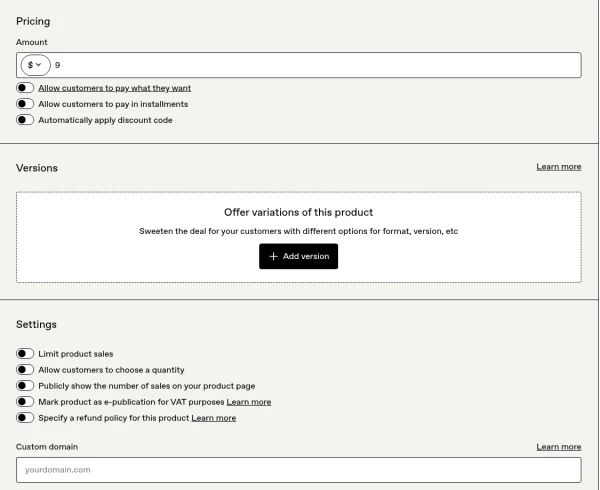
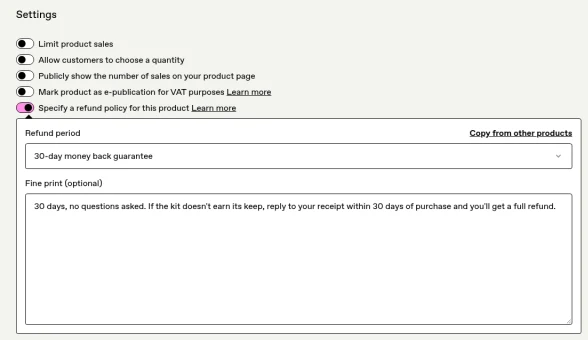
We turned it on, Oct 10 (about 3:47 PM PT). Gumroad offers No refunds allowed, 7-day, 14-day, 30-day and 6-month periods; we chose 30-day money back guarantee, with this fine print, matching the description: "30 days, no questions asked. If the kit doesn't earn its keep, reply to your receipt within 30 days of purchase and you'll get a full refund."
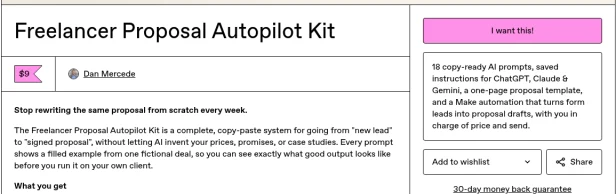
The public product page now shows a "30-day money back guarantee" link under the buy button.
Two more things we checked:
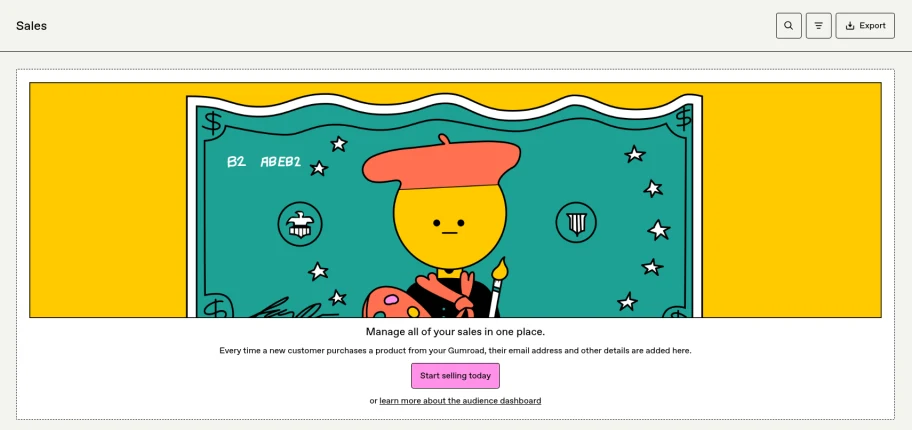
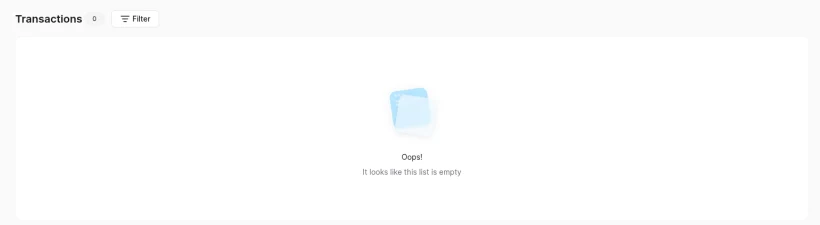
- No sales yet. Gumroad's Sales page (it opens the customer list) was empty, and Systeme.io's Transactions showed 0.
- No settings to change. Systeme.io has no refund settings page; refunds are issued per transaction. Gumroad's settings have no reply-to field for receipts, so "reply to your receipt" depends on where Gumroad routes the reply. Send yourself a test receipt or ask a first buyer to confirm it reaches you, and put your support email in the description as a backup.
Refunding on Gumroad
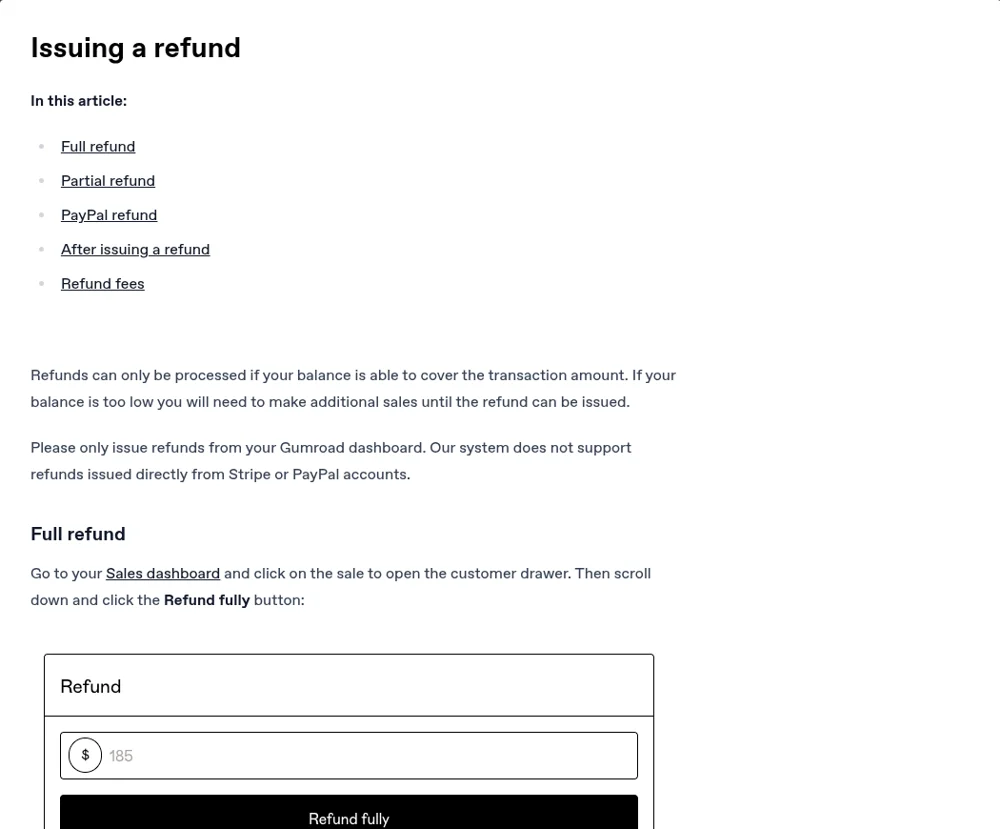
From Gumroad's help on issuing a refund, read October 10, 2026:
- Go to Sales, click the sale to open the customer drawer, scroll down and click Refund fully. For a partial refund, type the amount and click Issue partial refund.
- Refund only from the Gumroad dashboard: "Our system does not support refunds issued directly from Stripe or PayPal accounts."
- Your Gumroad balance has to cover the refund. If it doesn't, you can't refund until more sales come in. That's worth knowing when you have 0 sales and someone asks for one.
- The customer gets an email confirmation. Card refunds usually take 5 to 10 business days to appear; PayPal is immediate.
- Gumroad returns its own fee on the refunded part but keeps the payment-processing part.
Refunding on Systeme.io
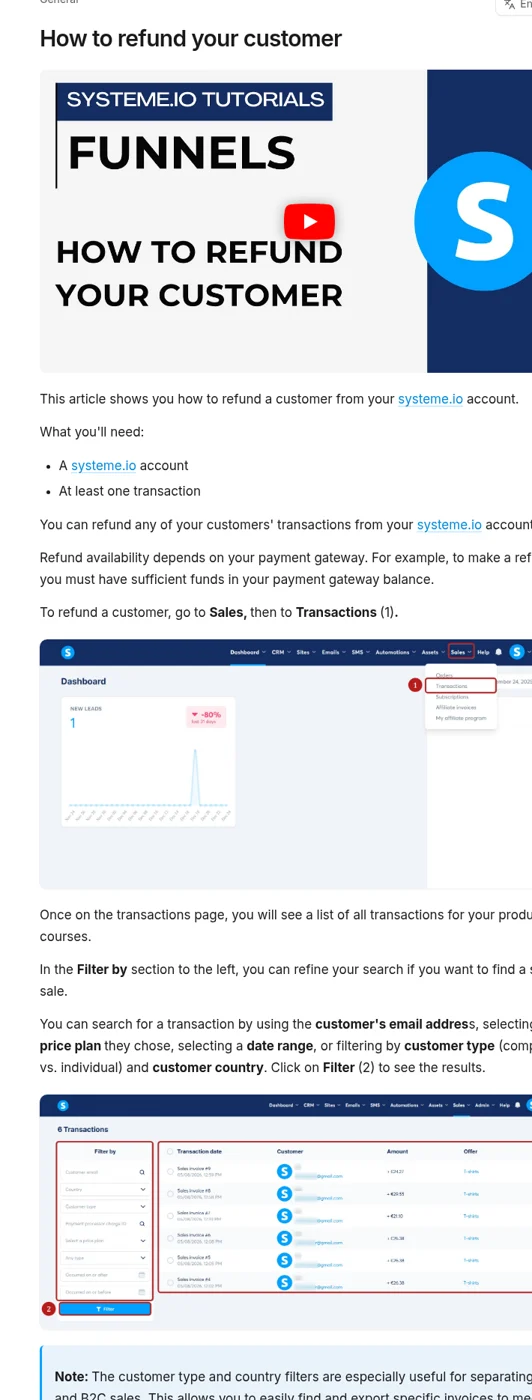
From Systeme.io's help on refunding a customer, read October 10, 2026:
- Go to Sales > Transactions, filter by the customer's email, click the three-dot menu on the transaction and choose Refund, then confirm.
- No partial refunds: "partial refunds are not currently supported in systeme.io." For the kit that's fine, because we refund in full.
- It depends on your payment gateway: you need enough balance in Stripe (or PayPal) to cover it.
- Afterwards, Systeme.io creates an invoice with a negative amount that you can send the customer as proof.
Something we haven't tested: if a buyer took the $5 editable templates bump, we don't know yet whether it appears as a separate transaction we can refund on its own. We also don't know whether a refund removes community access automatically. We'll check this on the first real case and update this guide. Until then, the reply below refunds everything the buyer paid.
The templates
Each is under 120 words, written in plain language, with the bracketed parts filled in by hand. We wrote them ourselves from the kit's own policy wording.
1. Refund request (within 30 days)
Subject: Re: [their subject]
Hi [name],
Done: I've refunded your [$9 / $14] in full. You'll get a confirmation from [Gumroad / us] shortly, and card refunds usually show up in 5 to 10 business days.
No need to explain anything. If you're happy to say what didn't work, I'd read it, but that's completely optional.
Thanks for giving it a try.
Dan, WorkCue
2. Refund request, a little after 30 days
Hi [name],
Your purchase was [N] days ago, a bit past our 30-day window, but I'd rather you weren't stuck with something that didn't help. I've refunded the [$9] in full; it usually shows up in 5 to 10 business days.
Dan, WorkCue
3. "I can't find my download"
Hi [name],
Sorry about that. [Gumroad: I've resent your receipt; the download button is in that email, and you can also find it in your Gumroad Library.] [Systeme: here's the download page again: [link from the thank-you page].]
Start with README.txt, then the Quick start in the PDF. If it still doesn't work, reply here and I'll send the files directly. And if you'd rather have your money back, just say so.
Dan, WorkCue
4. "Is this the same as the free checklist?"
Hi [name],
Partly. The free scope checklist is the 40-point list on its own. The kit includes that checklist plus the prompt library, saved instructions, the proposal template, the rate card and the automation build. If the checklist was all you needed, I'm happy to refund the kit in full.
Dan, WorkCue
5. "I bought the editable templates. Is that different content?"
Hi [name],
It's the same content as the kit, in editable Word, Excel and Markdown files, as the checkout said. If you expected something new, I'll refund the $5 [or the whole order], no problem.
Dan, WorkCue
6. A question about using the kit
Hi [name],
Good question. [Answer in two or three lines, pointing to the section and page of the PDF.]
If that doesn't solve it, send me what you tried and I'll take a look.
Dan, WorkCue
What we left out on purpose
- No "before we refund, can you tell us why". It turns a no-questions policy into a questions policy.
- No discount instead of a refund. If someone asks for a refund, they get one.
- No invented response times. We say "within one working day" because we can keep to that, and we'll report the real times once requests arrive.
Your checklist
- Write your refund rule down, including what you do just after the deadline
- Check that your store's balance can cover a refund before you have sales
- Know whether your store supports partial refunds (Gumroad yes, Systeme.io no)
- Turn on your store's own refund policy setting so it matches the sales page
- Make sure "reply to your receipt" reaches an inbox you read (Gumroad has no reply-to setting)
- Save these replies as text snippets so you can send them in under a minute
Related guides
Sell a Digital Download on Systeme.io Free With Stripe
Sell a digital product on Systeme.io's Free plan: Stripe connection, price plan, a trimmed order form and a download button, from a real $9 setup.
Systeme.io Order Bump and Upsell on the Free Plan
A real $5 order bump on Systeme.io's Free plan, delivered through the free community, plus a demo upsell: the limits, gotchas and what we could not test.
Fact-Check an AI Sales Page Against Your Product
Fact-check an AI sales page: we checked every claim on our $9 kit's page against the real files, with the claim table and what we had to cut.