Fact-Check an AI Sales Page Against Your Product
Fact-check an AI sales page: we checked every claim on our $9 kit's page against the real files, with the claim table and what we had to cut.
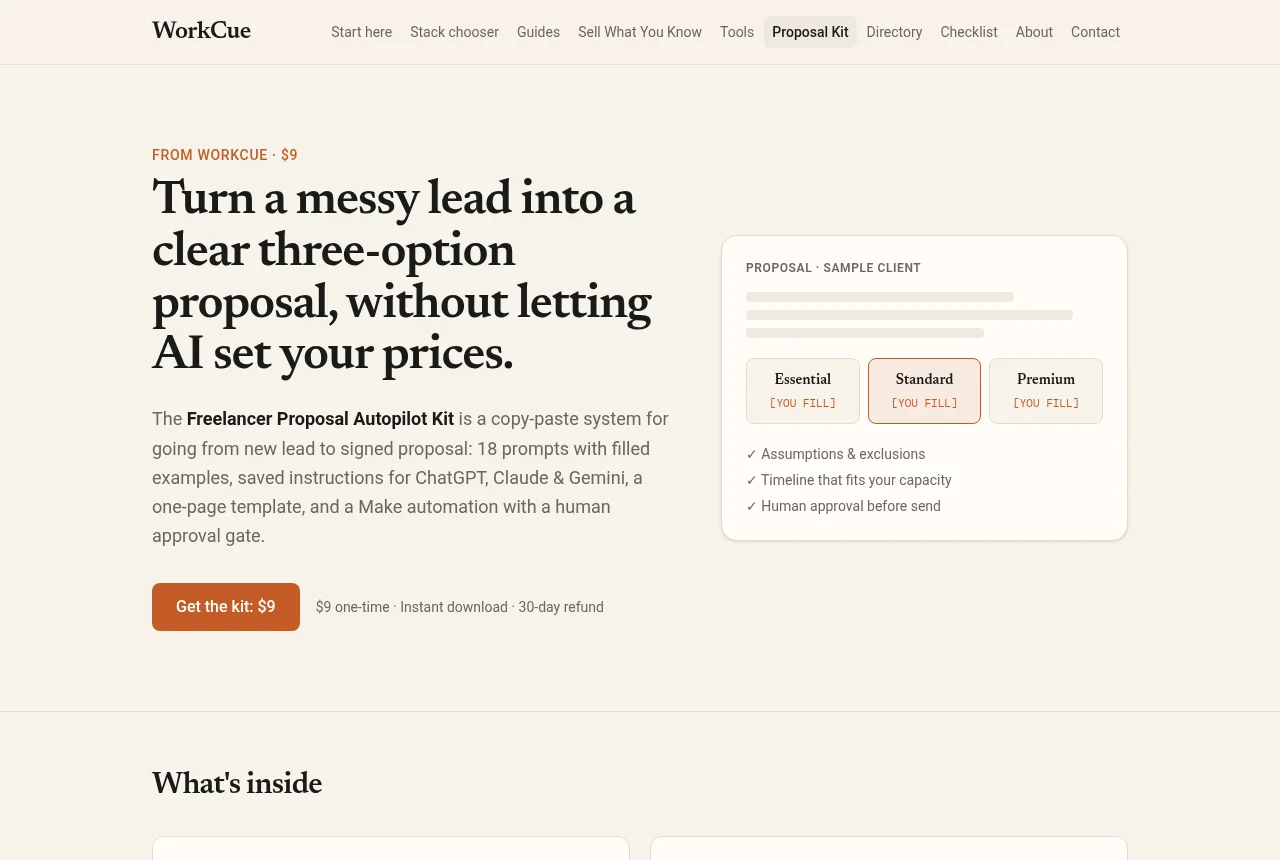
A sales page makes promises about a product. AI makes it very easy to write one, and just as easy to promise things the product doesn't do. In this guide we take our own $9 product, the Freelancer Proposal Autopilot Kit, and check its two live sales pages line by line against the files a buyer actually downloads. Then we have AI draft a fresh sales page from those same files and check that the same way.
Everything here is real: the kit page, the Gumroad listing, and the 30-page PDF and 47-item zip behind them. We wrote both pages ourselves, which is exactly why they needed checking.
The method
- Copy every claim into a table. A claim is any sentence a buyer could check: a number, a feature, a result, a "works with", a "free". Skip pure style ("Stop rewriting the same proposal").
- Find each claim in the product. Write down the file and section, not "it's in there somewhere".
- Give each one a verdict:
- True: the product does exactly this.
- Overstated: there's something real behind it, but the wording promises more.
- Missing: true, but it leaves out a fact a buyer needs (usually a cost or a limit).
- False: the product doesn't do it.
- Check claims about other companies' tools on those companies' own pages, with a date.
- Fix the copy, not the verdict. If a claim fails, rewrite the claim. Don't stretch the product to fit.
The live pages: claim table
| Claim (where it appears) | Where in the product | Verdict |
|---|---|---|
| 18 copy-ready prompts (both) | Part 1 P01 to P18; 18 .txt files in prompts/ | True |
| A filled example for every prompt (both) | All 18 prompts have "Filled example" and "Example output" | True |
| "One realistic deal" runs through the kit (both) | Quick start: a fictional designer and coffee roaster | Overstated: say it's fictional |
| Saved instructions for a ChatGPT custom GPT, a Claude Project plus Skill file, 3 Gemini Skills with the names given (both) | Part 2; files in saved-instructions/ | True |
| Gemini Skills work in Gemini (FAQ, "including the new Gemini Skills") | Google's help lists regions where Skills aren't available | Missing: add "where available" |
| One-page Markdown template for Docs, Notion or Word (both) | Part 3, templates/proposal-template.md | True |
| Template "ordered the way buyers read" (both) | Part 3 gives the order but no reason or source | Overstated |
| 40-point scope checklist (both) | Part 4, templates/scope-checklist.md | True |
| Private rate card and rules sheet (Gumroad, FAQ) | templates/rate-card-and-rules.md | True |
| Make build, module by module, with a human approval gate (both) | Part 5, "The human gate" | True |
| Lead form > dedupe > qualify > AI brief > draft in Google Docs (/kit) | Part 5 Scenario A, modules 1 to 10 | True |
| Includes a Zapier variant (both) | Part 5 "Zapier variant" | True |
| 30-page PDF plus every file as .txt or .md (both) | PDF is 30 pages; zip has the prompt, instruction and template files | True |
| "Every prompt uses [YOU FILL] where money or commitments belong" (both) | Literal [YOU FILL] appears in P04, P05, P12, P16. P06 and P17 use {{$ you fill}} and {{fee I set}} | Overstated wording (the substance is true) |
| The model frames options; you set the numbers (both) | P06: "Use MY numbers exactly" | True |
| Prompts flag gaps instead of inventing proof (Gumroad) | P03 "[UNCLEAR]", P09 red-team review | True |
| Drafts, not sends (Gumroad) | Scenario B defaults to a Gmail draft; auto-send is optional | True |
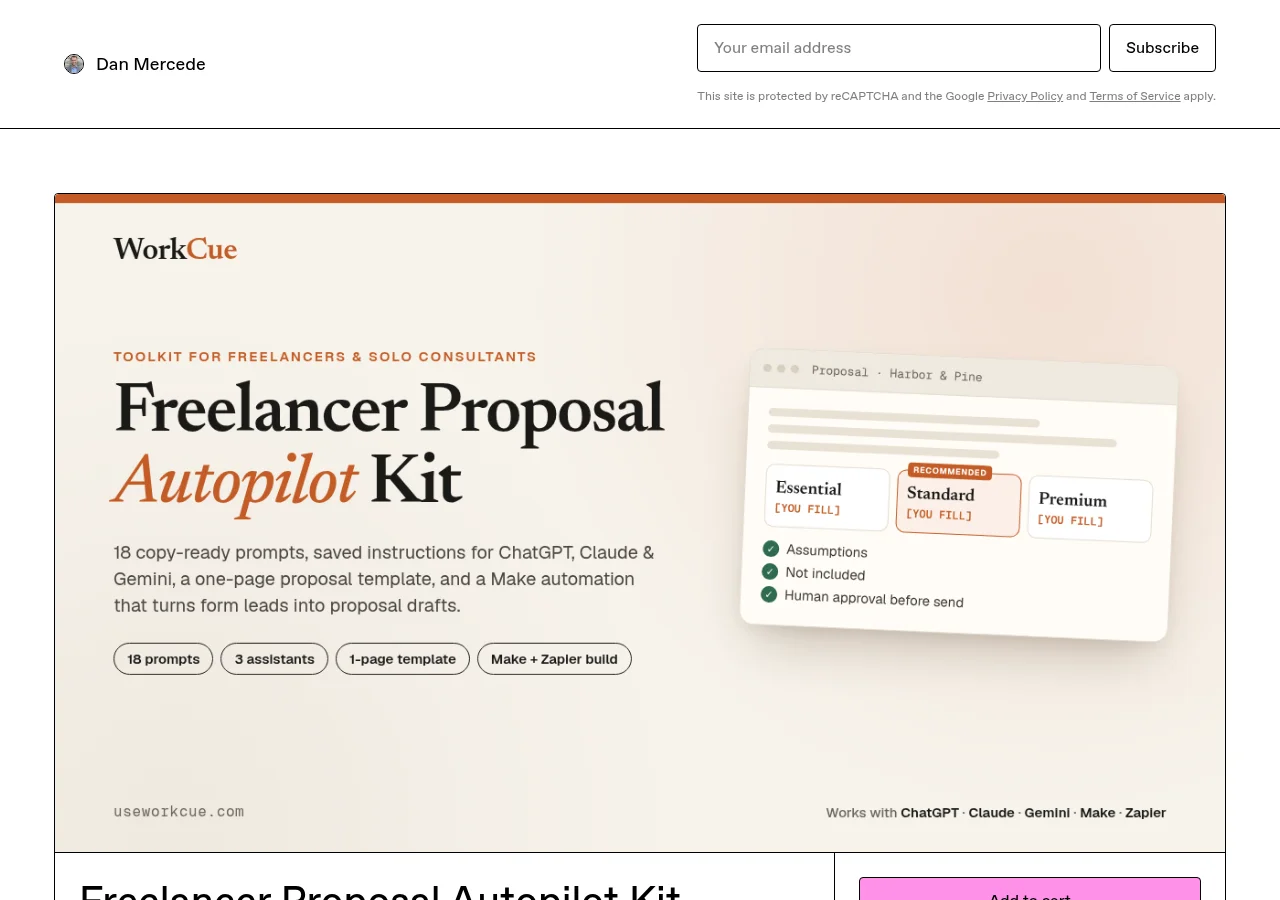
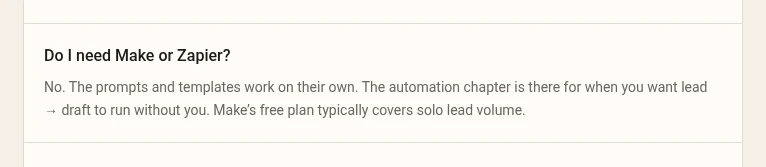
| "Make's free plan typically covers solo lead volume" (both) | Part 5: "roughly 10 to 15 operations" per run; Scenario B polls "every 15 minutes" | Overstated (see below) |
| "Works with what you already pay for" (Gumroad) | Part 5: AI step needs "an AI provider (OpenAI or Anthropic API key, billed separately by the provider)" | Missing |
| Lists 18 prompts by name (/kit) | The /kit list names 16 (no P07 "Our understanding", no P14 close-the-loop) | Missing (Gumroad's list has all 18) |
| P03 free sample (/kit) | Identical to prompts/P03-notes-to-scope-brief.txt | True |
| "The single most useful prompt in the kit" (/kit) | Not measured anywhere | Overstated: an opinion |
| From new lead to signed proposal "faster" (Gumroad) | No time measurements in the product | Overstated |
| 30-day no-questions refund; reply to the receipt (both) | Part 6 "License and updates" | True |
The claim that mattered most: "Make's free plan"
This one sounded safe because it's hedged ("typically"), and our own build guide said much the same. Checked against Make's current plan, it doesn't hold for the build as written:
- Make Free gives 1,000 credits a month, 2 active scenarios, and a 15-minute minimum interval (Make pricing, checked October 7, 2026). A scheduled check costs a credit even when it finds nothing (Make help: credits and operations).
- The kit's Scenario B watches Airtable "every 15 minutes". That's about 96 checks a day, roughly 2,880 credits a month, before a single proposal goes out.
- The kit's optional Scenario C would be a third active scenario, and Free allows two.
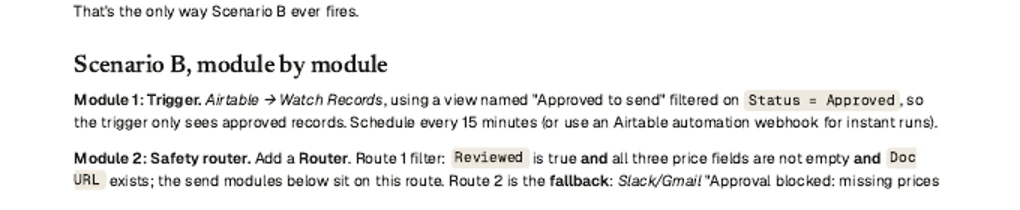
The product already mentioned an instant webhook as an option for Scenario B, and that route only runs when something is approved. So the copy needs one honest sentence, not a new product. The same goes for the AI step: the automation calls an AI API with your own key, and a ChatGPT or Claude subscription doesn't cover that. "Works with what you already pay for" is true for the prompts and not for the automation.
The AI-draft half
Next we did what most people do first: gave AI the product files and asked for a sales page. The prompt, recorded word for word, had no guardrails on purpose:
You're writing a sales page for a $9 digital product for freelancers.
The source material is the product itself: [the 8 source files and the zip
file list]. Write a persuasive sales page with: a headline, a subheadline,
8 "what's inside" bullets, who it's for, who it's not for, 5 FAQs, the
refund line and a call to action. Keep it under 400 words.
The draft read well. Here's how its claims did against the same files:
| Draft line | Verdict | What we did |
|---|---|---|
| "Write winning proposals in half the time" | No source for "winning" or "half" | Cut |
| "18 battle-tested prompts" | 18 is true; "battle-tested" has no evidence | Kept "18 copy-ready prompts" |
| "Ready-made AI assistants" / "plug-and-play" | They're instructions you paste in | Rewritten: "saved instructions you paste into..." |
| "A done-for-you automation" | It's a build guide (the product says about 2 hours for Scenario A) | Rewritten: "a step-by-step build guide" |
| "Turns every new lead into a proposal draft automatically" | Only leads that pass the filters; disqualified leads get a polite-pass draft | Rewritten |
| "A template proven to convert" | No conversion data anywhere | Cut |
| "Checklist that eliminates scope creep" | It catches gaps; it can't eliminate anything | Rewritten: "catches the gaps that turn into unpaid work" |
| "A rate card so you never undercharge again" | It's a fill-in sheet | Rewritten |
| "A Make automation that runs 100% free" | False: API key billed separately; credit math above | Cut, replaced with the cost line |
| "Bonus: a Zapier version" | True, but "bonus" implies extra value | Kept without "bonus" |
| "30-page PDF plus every file in editable format" | True | Kept |
| "Any niche" / "any service business" | The product says it's for scoped projects, not hourly-only work | Rewritten with the real "not for" list |
| "First proposal in 45 minutes" | That's the product's own Quick start title, not a measured result | Kept, attributed: "the Quick start walks you through a first proposal in about 45 minutes" |
| "Everything runs on free plans" | False for the automation | Cut |
| "It suggests pricing options based on your project" | False: the prompts refuse to set prices | Cut, replaced with "you type the prices" |
| "Join the freelancers already closing more deals" | Invented proof: we have no buyer results to quote | Cut |
| "Launch price, going up soon" | Fake urgency: there's no planned price change | Cut |
Three lines survived (two of them trimmed), one survived once we said where the fact comes from, and thirteen had to go or be rewritten: 7 cut, 6 rewritten. Every invented claim was a result (time saved, deals won, conversion). Those are exactly the things the product files can't support, because no one has measured them. The two outright false claims were about cost, which is also what our own live pages got wrong. That's the pattern to look for.
What we changed after the check (October 10, 2026)
We applied all seven fixes the same afternoon. Here's the live copy before and after, word for word.
| Where | Before | After |
|---|---|---|
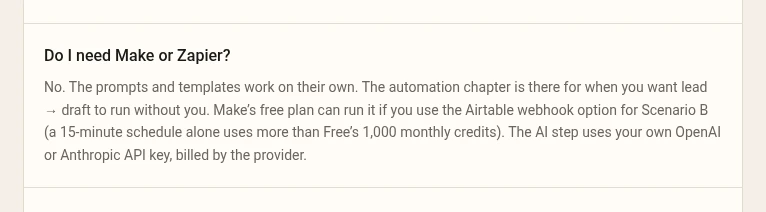
| /kit FAQ, "Do I need Make or Zapier?" | "Make's free plan typically covers solo lead volume." | "Make's free plan can run it if you use the webhook button option for Scenario B (a 15-minute schedule alone uses more than Free's 1,000 monthly credits). The AI step uses your own OpenAI or Anthropic API key, billed by the provider." |
| /kit FAQ, "Will the AI set my prices?" | "Every prompt uses [YOU FILL] where money or commitments belong." | "Wherever money or commitments belong, the prompts leave a blank for you to fill." |
| /kit prompt list | 16 prompts named | Adds "our understanding" opening and close-the-loop email (all 18) |
| /kit "A filled example for every prompt" | "One realistic deal runs through the whole kit" | "One fictional deal runs through the whole kit" |
| /kit sample section | "The single most useful prompt in the kit." | "The prompt we'd start with." |
| /kit sample footnote | "real-looking call notes" | "fictional call notes" |
| /kit template card | "...or Word, ordered the way buyers read." | "...or Word." |
| /kit Gemini mentions | "three Gemini Skills" / "including the new Gemini Skills" | Both add "where available in your region" |
| Gumroad listing | "Works with what you already pay for... runs on Make's free plan for typical solo lead volume", "faster", "realistic deal", "ordered the way buyers actually read", "Every prompt uses [YOU FILL]" | Rewritten to match the fixes above, plus a "What you need" line naming the Make account and the separately billed API key. Updated on Gumroad at about 2:25 PM PT on October 10, 2026, together with the v1.1 zip. The product had 0 sales at that point, so there were no existing buyers to notify. |
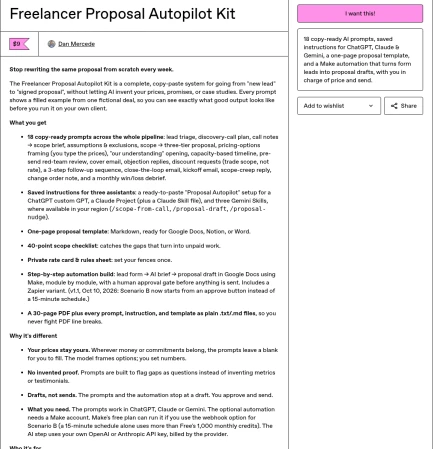
The product changed too: the kit is now v1.1. The copy fix only makes sense if the product matches it, so we changed the build guide, rebuilt the PDF and zip, and kept v1.0 as a backup:
- Scenario B now starts from a button by default. An Airtable Button field ("Open URL", available on every Airtable plan) calls a Make webhook with the record's ID. Scenario B runs only when you click it and uses no credits in between. The 15-minute schedule is still there as the alternative, now with the credit math next to it.
- Optional Scenario C now says up front that Make Free allows 2 active scenarios, so with A and B running it needs a paid plan, or you use calendar reminders instead.
- The placeholder note in the Quick start and README now covers the
{{$ you fill}}style used by P06 and P17. - No prompt text changed.
One honest detail from making that fix: our first version of the new default used an Airtable automation with a "Run a script" step to call the webhook. Checking Airtable's own help before shipping, we found that Airtable's Free plan doesn't include the Run a script action. So the fix would have swapped one hidden cost for another. The button field works on Free, so that's what shipped. It's the same lesson as the rest of this guide: check the "free" claim on the vendor's page before you write it down, even when you're the one fixing it.
Your checklist for any sales page
- Every number on the page appears in the product, word for word.
- Every "free" names the plan and its limit, with the date you checked.
- Every "works with" says what the buyer still has to pay for.
- No result claims (time saved, revenue, conversions) unless you measured them, with the date and sample.
- No "join hundreds" unless you can count the hundreds.
- No deadlines or price rises you don't actually plan.
- Opinions are labelled as yours.
If you're building your first product page, our Systeme.io checkout guide shows a free way to host one, and the prompts that went into this kit started life in ChatGPT prompts for client proposals.
Related guides
Sell a Digital Download on Systeme.io Free With Stripe
Sell a digital product on Systeme.io's Free plan: Stripe connection, price plan, a trimmed order form and a download button, from a real $9 setup.
ChatGPT Prompts for Client Proposals (Copy and Paste)
Practical ChatGPT prompts for client proposals (discovery briefs, scoped options, objection handling, and follow-ups) with human gates so pricing stays yours.
Kit Lead Magnet Landing Page on the Free Plan
A Kit lead magnet landing page on the free plan: template, double opt-in that starts the download, confirmation email and an end-to-end inbox test.